Jodnotes app icon
JodnotesHandwriting notebook · by Jodhaus Studio

Your ideas,
in your hand.

Every note tool is free. Forever.

No ads No account No subscription No AI

For iPad and Android tablets · Coming soon

  • 0Tools, all free
  • 0Adjustable shapes
  • 0Note apps you can move from
  • 0Ads, accounts or limits
Try it

Go on.
Write something.

A small taste of the ink, right here. Use a stylus, your finger or a mouse — a pressure-sensitive pen responds to how hard you press.

Write here ✍︎

Nothing you write here is saved or sent anywhere.

Up close

Real pages.
Real app.

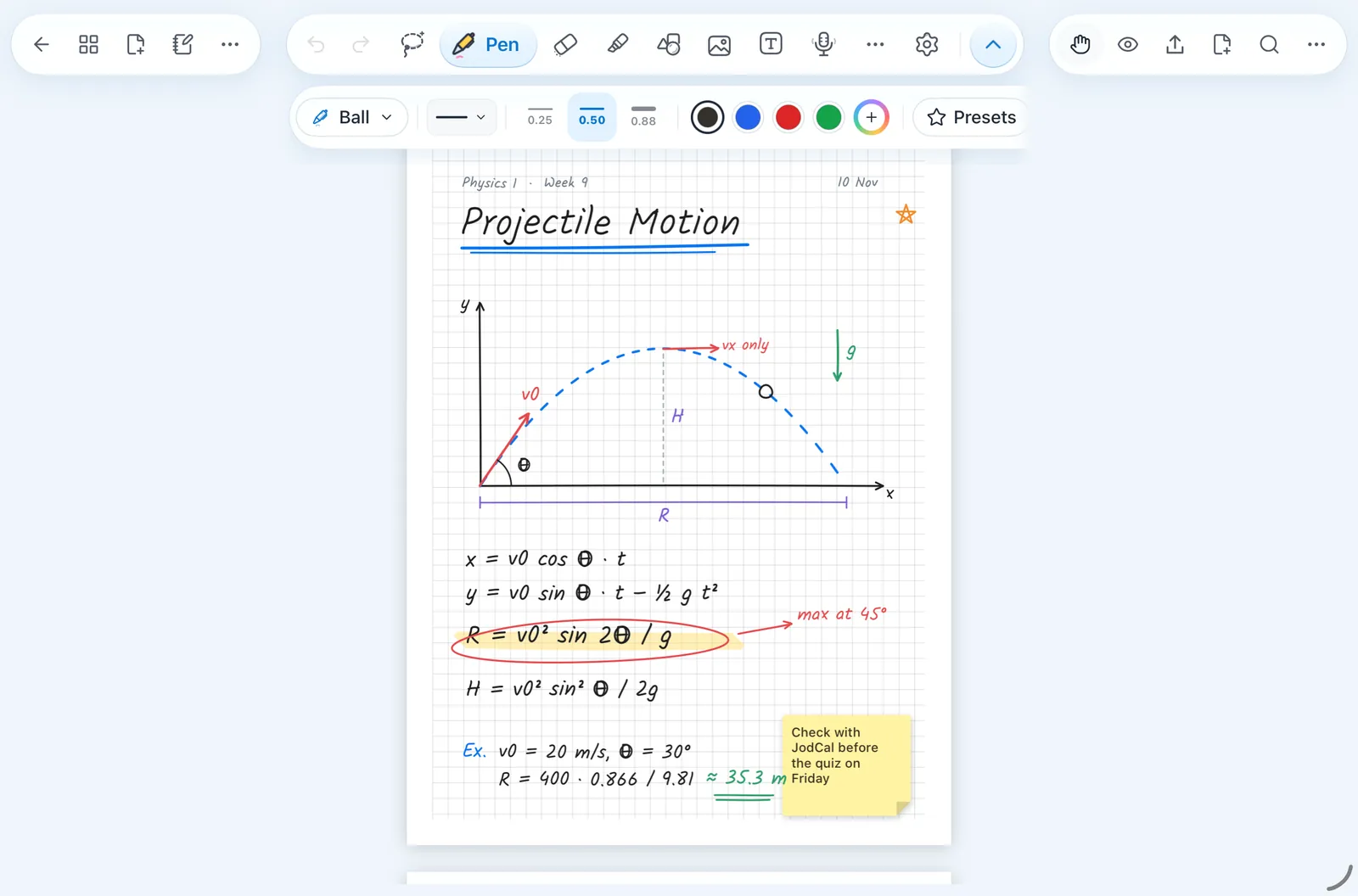
  1. A notebook, openGrid paper, pens, a sticky note.
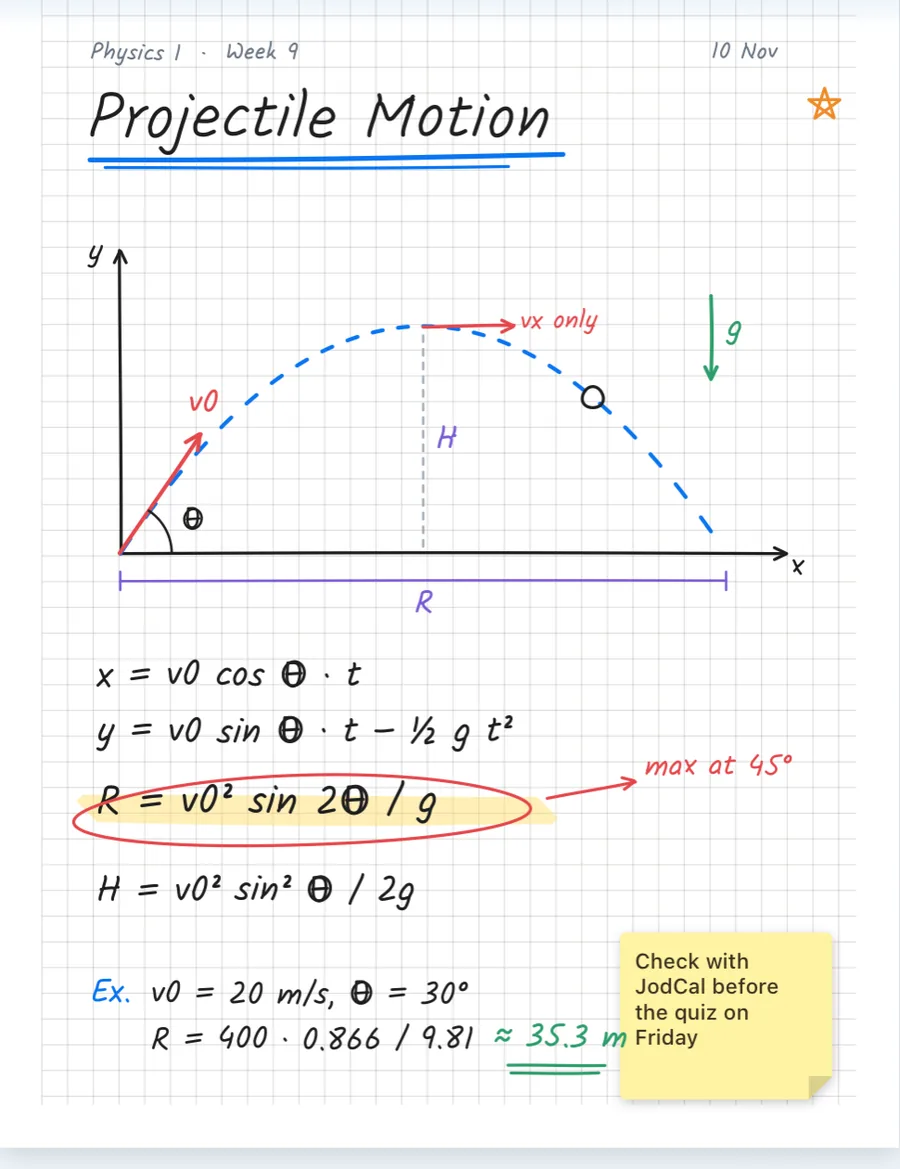
  2. Up closeEvery stroke stays crisp as you zoom.
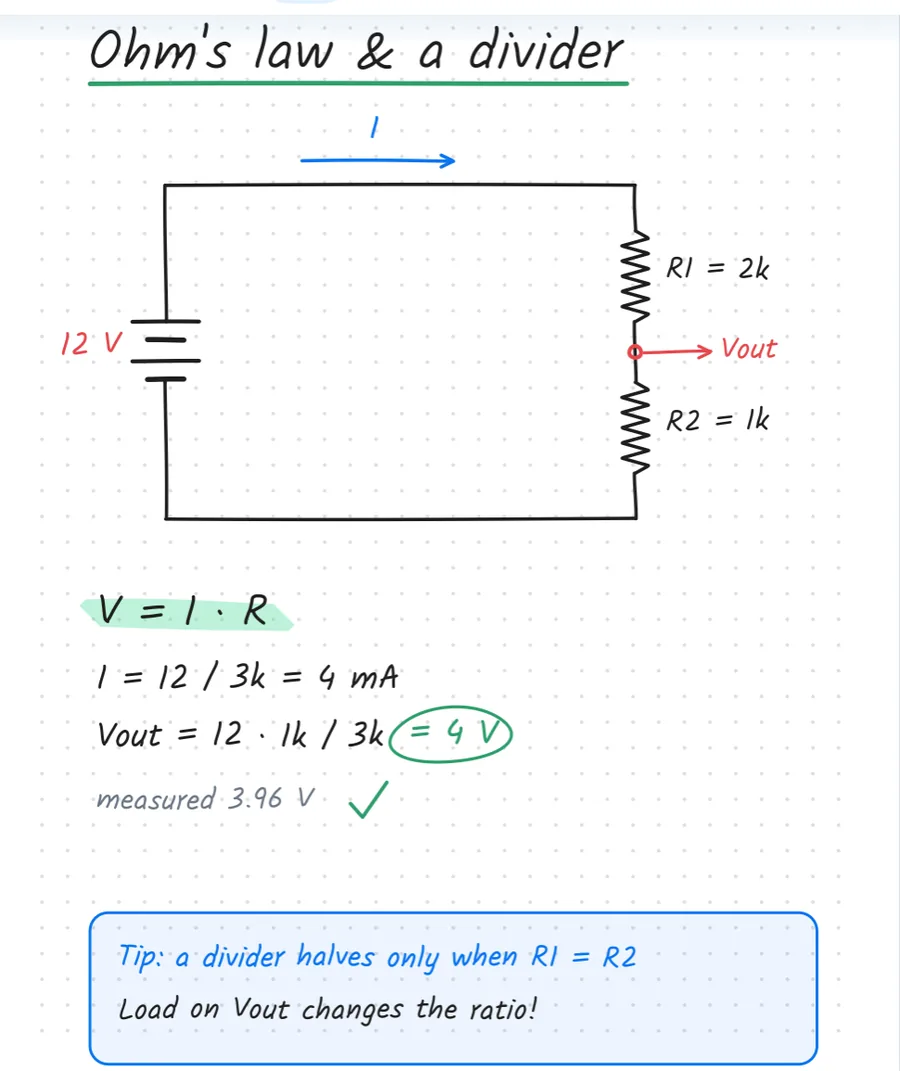
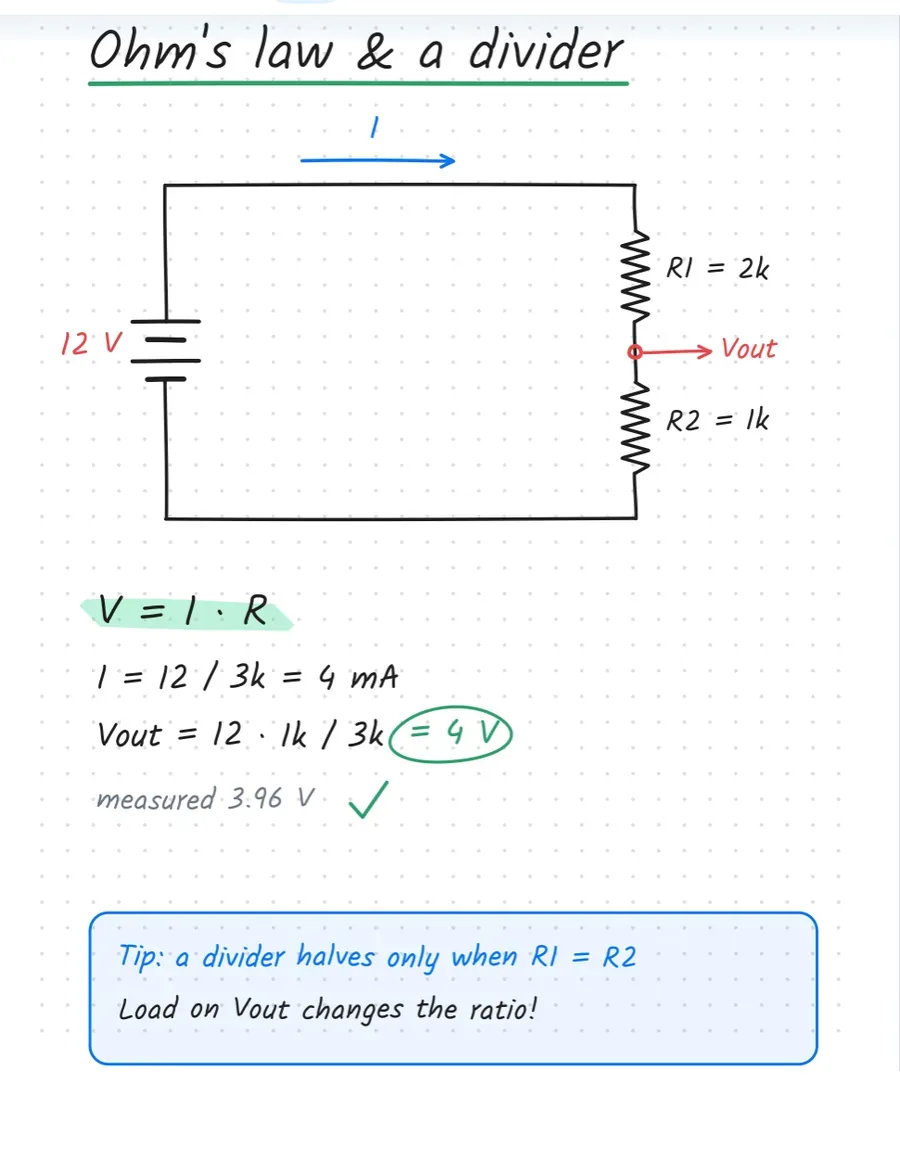
  3. Turn the pageDotted paper, a circuit, the maths.
Jodnotes: a page of projectile-motion notes with a diagram, formulas and a sticky note
A second page with a voltage-divider circuit and Ohm's law worked out

A demo notebook we made for this page, opened in the real app. The ink was generated from a handwriting font, not written live.

Notes worth keeping

A semester,
one notebook at a time.

Diagrams, formulas, highlighter, sticky notes. Real pages from the app.

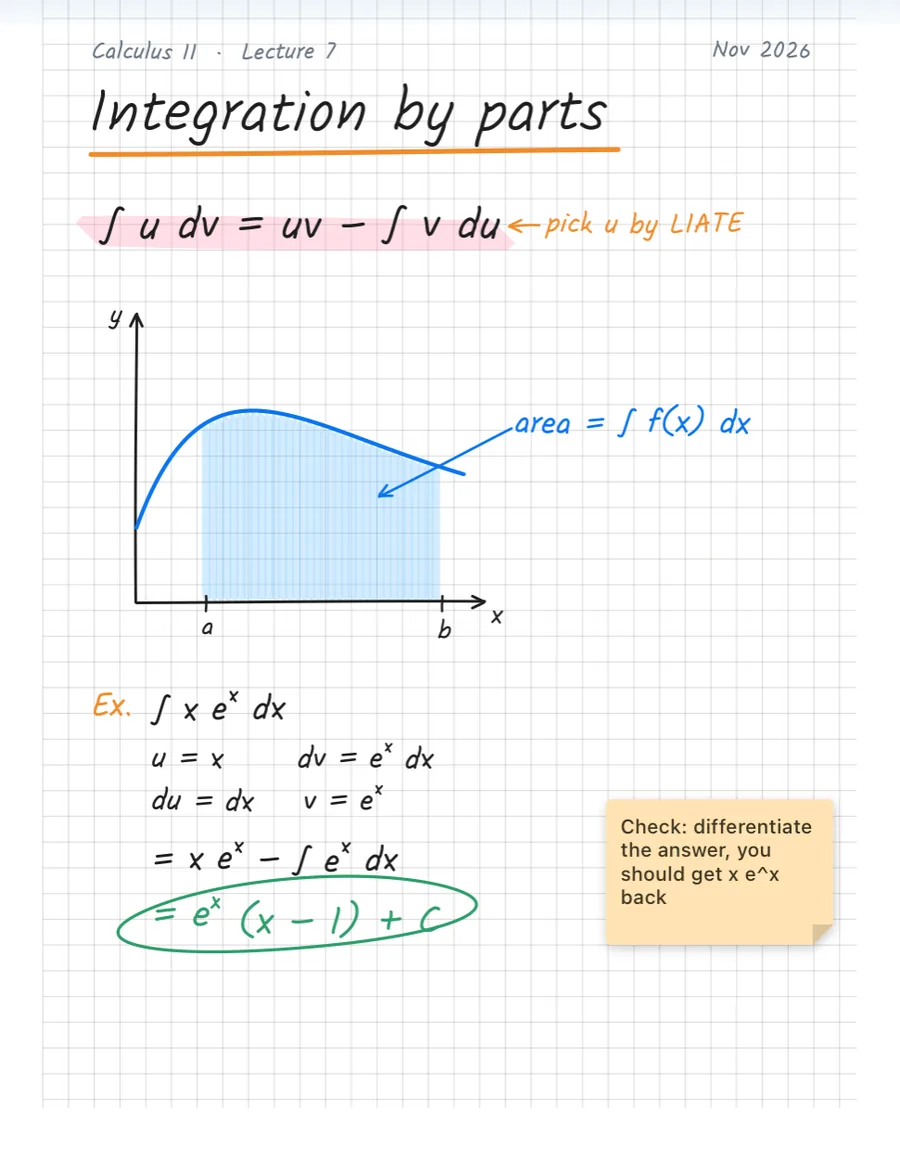
Handwritten lecture notes: Calculus II, Integration by parts
Calculus IIIntegration by parts
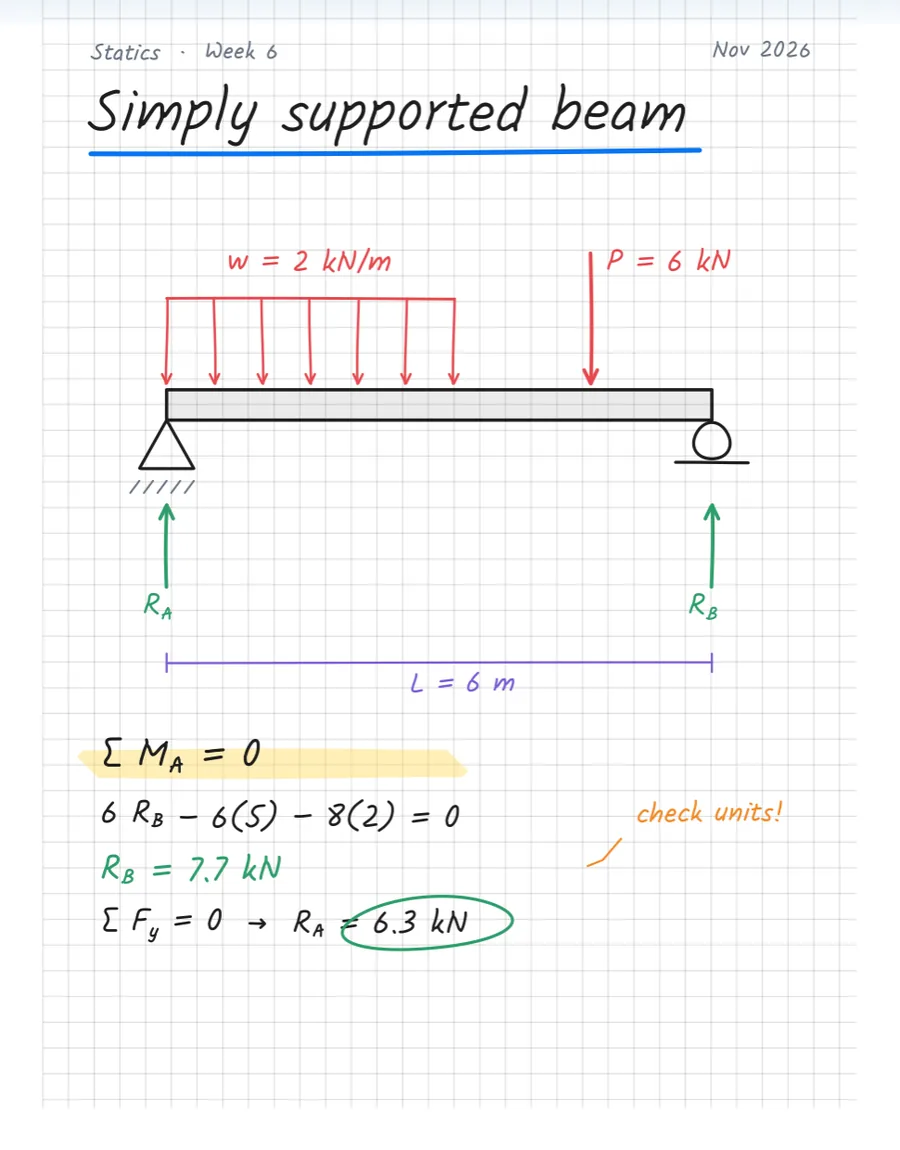
Handwritten lecture notes: Statics, Simply supported beam
StaticsSimply supported beam
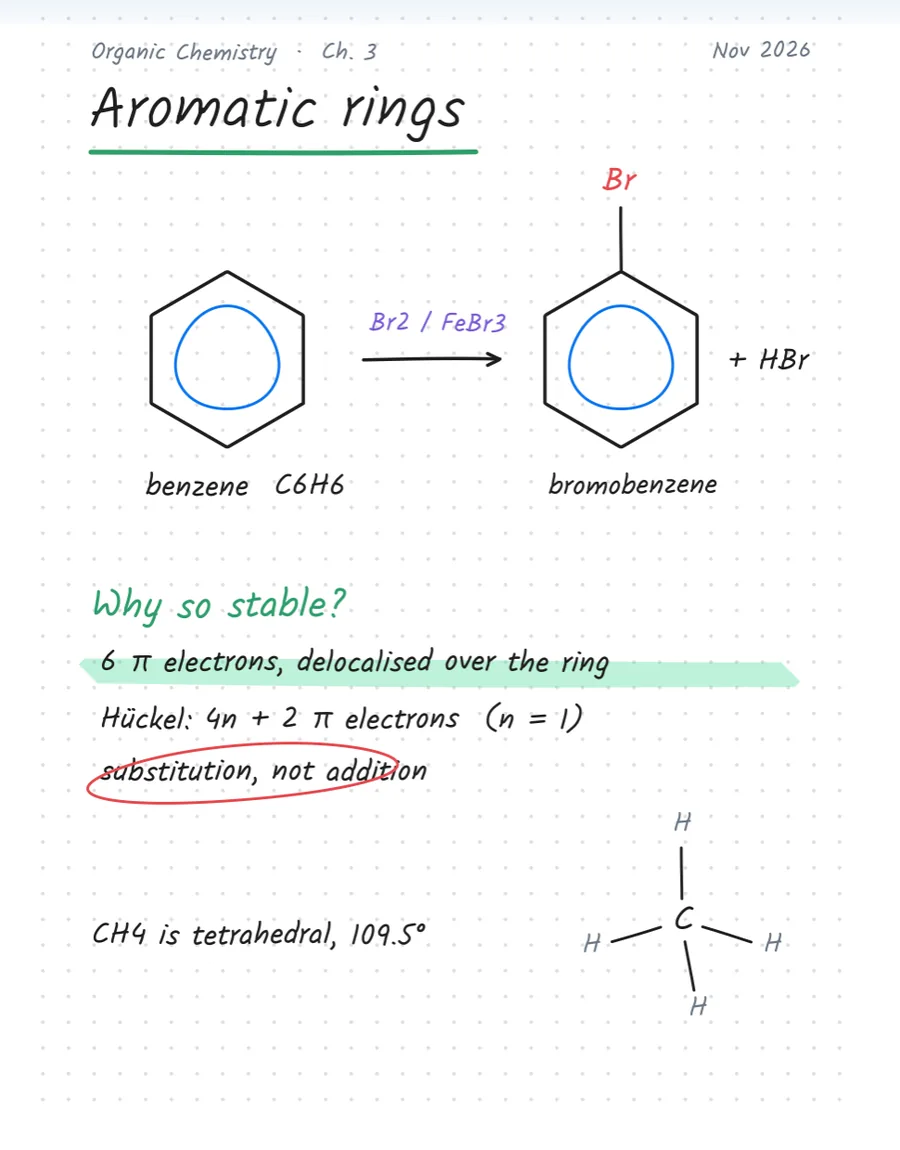
Handwritten lecture notes: Organic Chemistry, Aromatic rings
Organic ChemistryAromatic rings
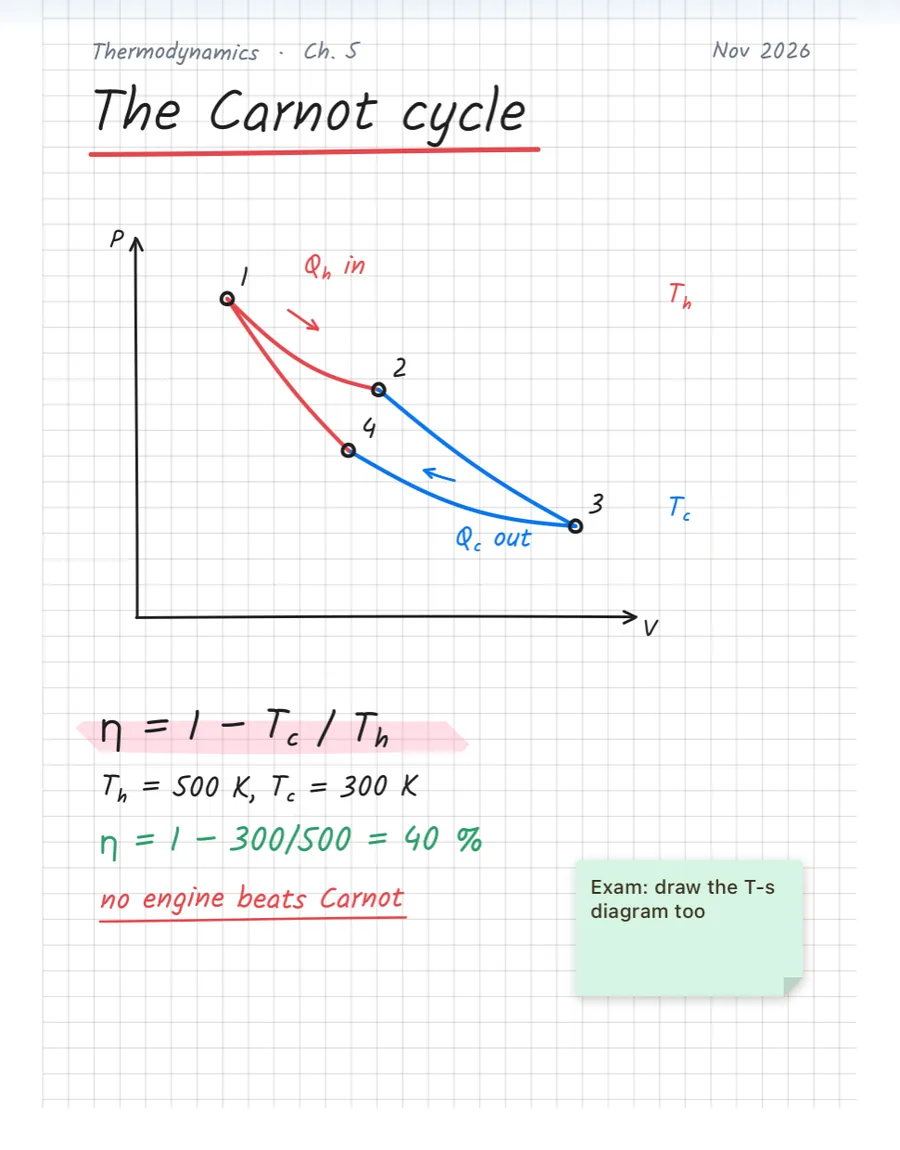
Handwritten lecture notes: Thermodynamics, The Carnot cycle
ThermodynamicsThe Carnot cycle
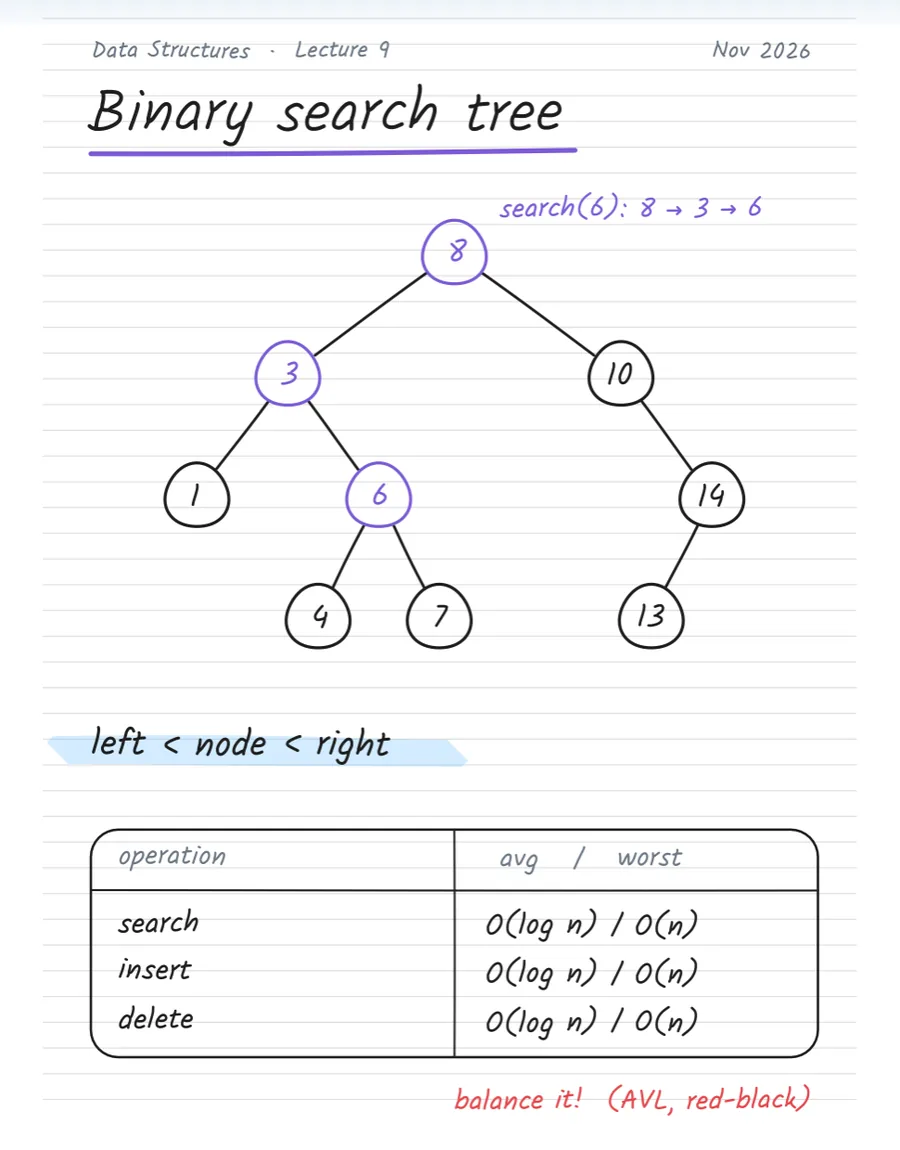
Handwritten lecture notes: Data Structures, Binary search tree
Data StructuresBinary search tree
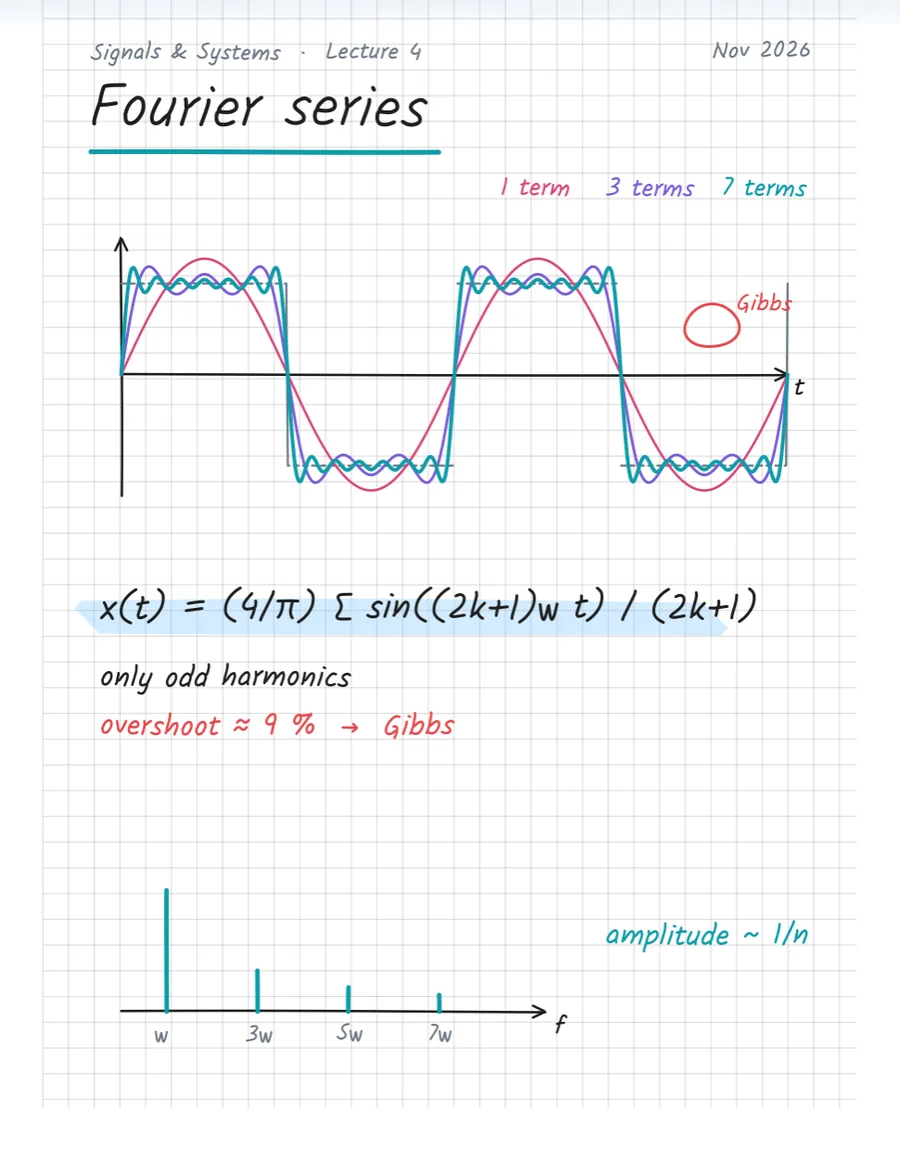
Handwritten lecture notes: Signals & Systems, Fourier series
Signals & SystemsFourier series
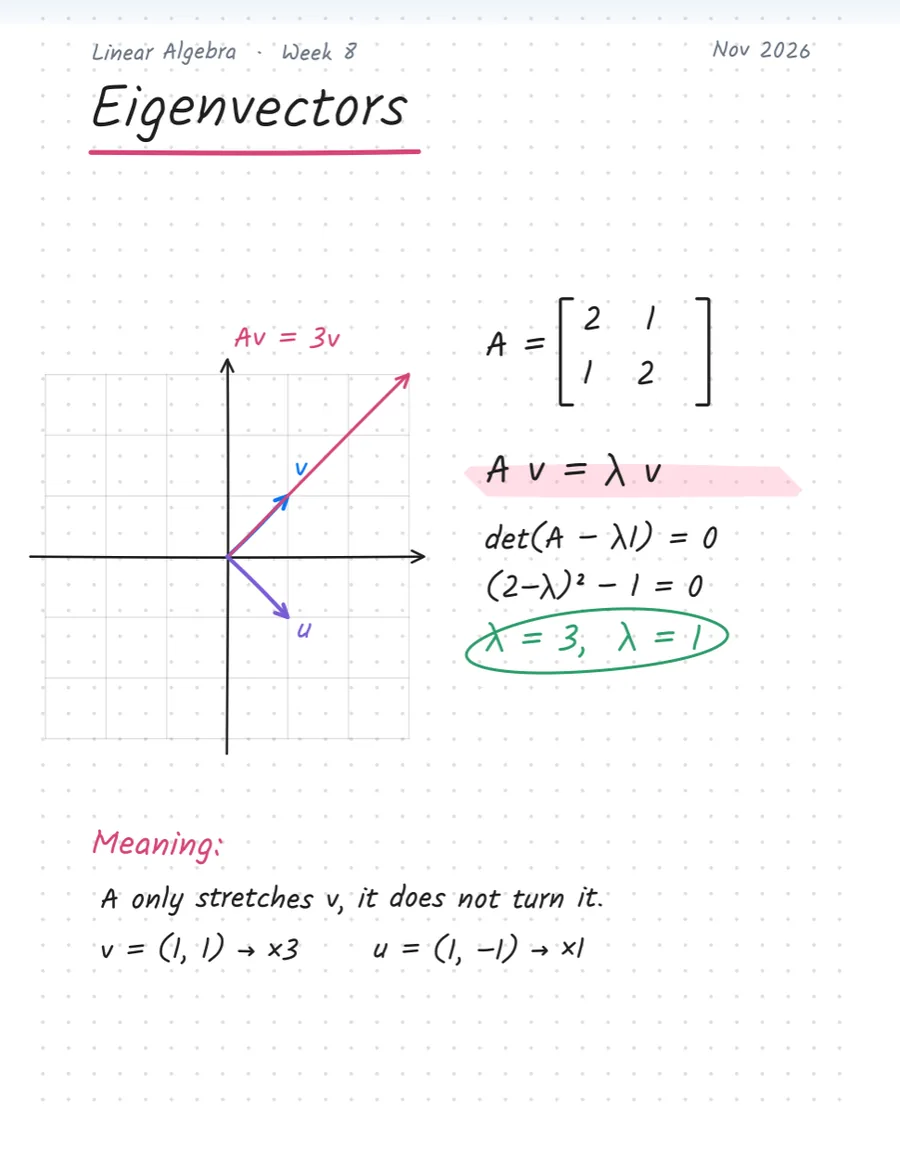
Handwritten lecture notes: Linear Algebra, Eigenvectors
Linear AlgebraEigenvectors
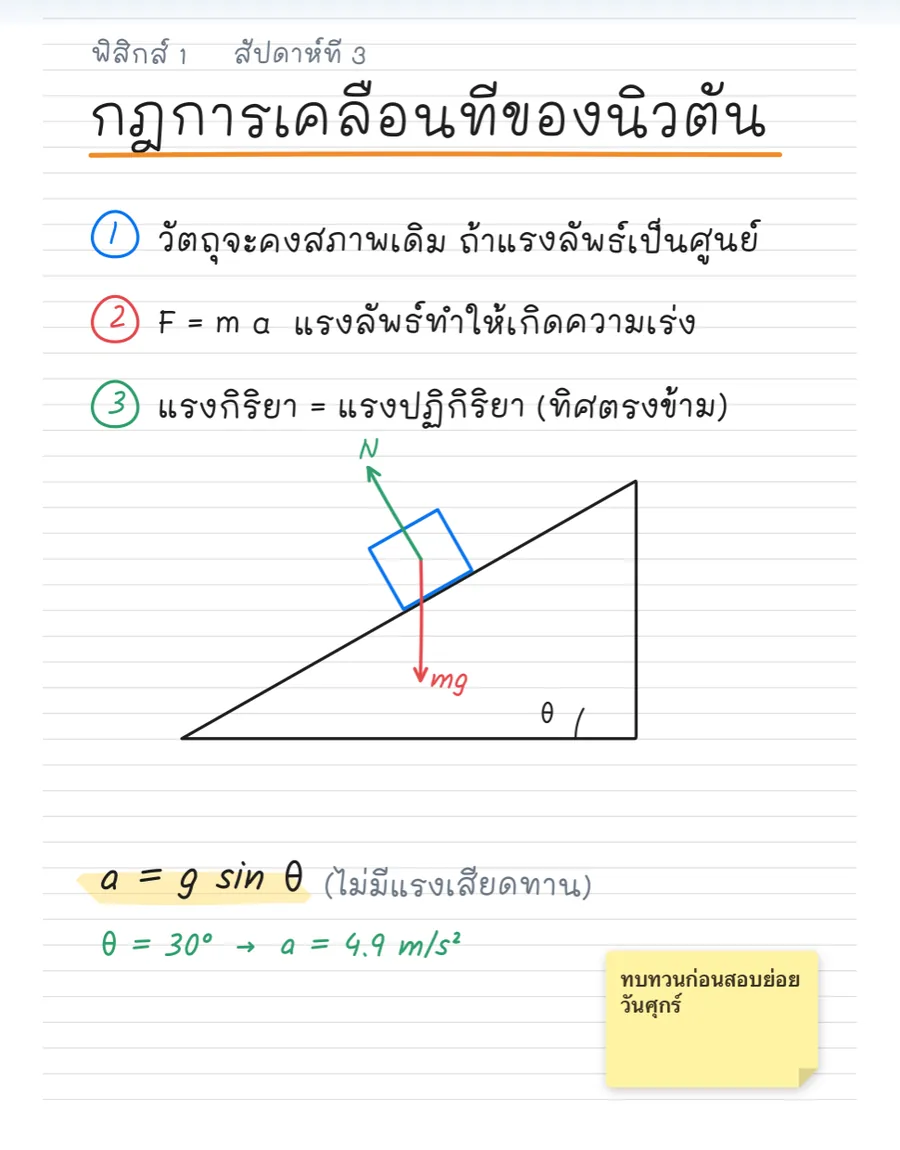
Handwritten lecture notes: ฟิสิกส์ 1, กฎการเคลื่อนที่ของนิวตัน
ฟิสิกส์ 1กฎการเคลื่อนที่ของนิวตัน
Handwritten lecture notes: Circuits, Ohm’s law & a divider
CircuitsOhm’s law & a divider

Demo notebooks we made for this site and opened in the app. The ink is drawn from a handwriting font.

Tools

Every tool.
Free.

Nothing on this list will ever move behind a paywall. Turn off what you don’t use — the toolbar is yours.

  • PenSix pen types, pressure and tilt
  • PencilFive grades, tilt shading
  • BrushWatercolor, oil, charcoal and more
  • HighlighterChisel, round or square tip
  • EraserWhole stroke, partial, or scribble
  • LassoFreeform or box select
  • Saved selectionsKeep pieces to reuse later
  • Shapes57 shapes, every one adjustable
  • TextTen fonts, full formatting
  • ImageCrop, filters, SVG
  • StickersElements and stickers
  • Sticky notesSixteen styles
  • TableRows, columns, headers
  • Math inputLaTeX and chemistry, offline
  • Laser pointerFour modes for presenting
  • LayersHide, lock, reorder
  • RulerA 30 cm ruler on the page
  • Set squares45°, 30°/60° and 90°
  • CompassPlace, size, twist to draw
  • CalculatorJodCal-100EH, scientific
  • AudioRecord mic, device sound, or both
  • TimerA timer right on the page
  • Reading musicPlay music while you read
  • FlashcardsFrom your notes, with spaced review
  • Mind mapTwelve layouts
  • FlowchartNineteen symbols, self-routing lines
  • SearchFind text in notes, PDFs and scans

Plus split view, a floating second notebook, bookmarks and outlines, tags, cover designer, 15 free themes, 26 app fonts and 17 languages.

Shape tool

Graphs that
finally look right.

Functions, control-system responses and 3D solids — each with handles for every parameter. Made for engineering students. Try a few:

Preview on this page · in the app every shape has its own handles
  • 30 cm ruler
  • 45° set square
  • 30°/60° set square
  • 90° square
  • Compass
Flashcards

Study where
you write.

Turn your notes into cards, then review them. Tap the card to flip it, then rate how well you knew it.

In Jodnotes, how you rate a card decides when it comes back.

Move in, move out

Your notebooks
aren’t locked in.

Bring your notebooks from other apps and keep editing. And if Jodnotes isn’t for you, take them back out — we will never hold your work hostage.

Import

Open editable notebooks from six popular handwriting apps.

Handwriting arrives as real, editable ink — not a flat picture. Before you import, Jodnotes shows exactly what carries over from that app.

  • Six note-app formats
  • .jodnotes
  • PDF
  • Word
  • PowerPoint
  • Excel & CSV
  • EPUB
  • Images
  • ZIP archives
Export

Save back to those same six formats — or anything else.

Hand a notebook to a friend on another app, or leave entirely. Handwriting and shapes stay editable there.

  • Six note-app formats
  • .jodnotes
  • PDF
  • Word
  • PowerPoint
  • HTML
  • Text
  • SVG
  • PNG & JPEG
  • Folder ZIP
Honest notes

Every app stores notes differently, so what transfers differs by app. Handwriting always comes across as editable ink. With some apps, typed text and pictures arrive as part of the page rather than as separate objects, and a few don’t carry pictures yet. One import format is still in beta while we test it with more real files. The app tells you all of this before you start.

Why Jodnotes

All the good parts.
None of the annoying ones.

We are engineering students who got fed up with our note apps. So we kept what we loved and left out what drove us mad.

Many note appsJodnotes
  • A cap on free notebooksCommonNever
  • Monthly subscriptionCommonNever
  • AdsSometimesNever
  • AI features pushed on youIncreasinglyNone
  • Account requiredOftenNo
  • Export to other apps’ formatsRareSix apps
  • Settings you can changeA fewAlmost everything
Themes & covers

31 rooms
to think in.

15 themes are free. Each one has a light and a dark mode, and every notebook gets its own cover.

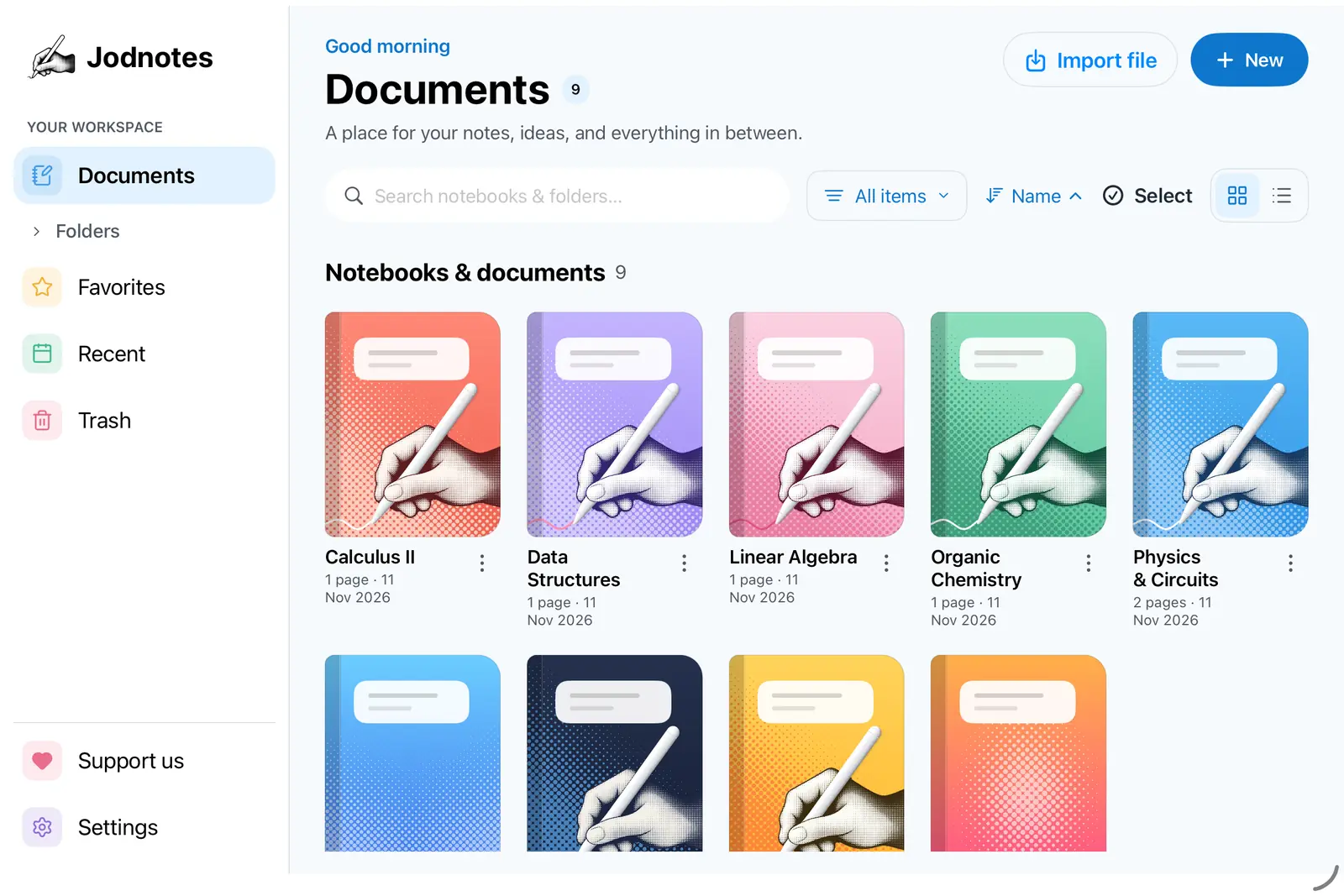
Jodnotes library in the Jodnotes theme
JodnotesFree

App icons

26 icons.
One for every season.

Change the icon on your home screen. Classic is free. All 26, plus Icon Studio to make your own, come with Pro.

Jodnotes
JodnotesFree
Through the yearNovember · Loy Krathong

Make your own

A small taste of Icon Studio, using the real icon artwork. The app also lets you add stickers, text and festival scenery.

JodCal

A real calculator,
on your page.

For everyone who keeps leaving theirs in the dorm. It floats over your notes: move it, size it, keep writing.

  • Drag the top bar to move it.
  • Pull the bottom corner to resize.
  • Type with the keys or your keyboard.
FreeJodCal-100EHCalculus, SOLVE, statistics, tables
ProJodCal-199EZ PuzComplex, matrices, equations, Base-N
ProJodCal-199EX KuzDistributions, inequalities, spreadsheet
ProJodCal-AB2 PuzCash flow, NPV, IRR, bonds

The page version does arithmetic and scientific functions in degrees. The app's calculators do much more.

A page of calculus notes
JodCaldrag me
JodCalADVANCED MATH
DEGMath
∫₀^π sin(x) dx
2
sin⁻¹cos⁻¹tan⁻¹∛eˣAbs,ⁿ√πe
CONSTCONVRESETINSOFFnPrnCrPolRecRndRan#πDRG▸%
Privacy

We do not watch.

  • No accountOpen and write. No sign-up.
  • No trackingNo ads, no analytics, nothing sent to us.
  • Your deviceNotes live on your iPad or tablet, offline.
  • Your cloud, if you wantBack up to your own Drive, Dropbox or iCloud. We can’t see it.
Pricing

Free is the product.
Pro is a thank-you.

Paying is completely optional. Pro adds extras for fun — never note tools.

Free

฿0forever

  • Every note tool on this page
  • Import and export, every format
  • Unlimited notebooks and pages
  • JodCal-100EH scientific calculator
  • 15 themes
  • All future updates
  • No ads, no account, no time limit

Pro Supporter

฿250one time · US$7.99

  • Everything in Free
  • 3 advanced calculators: 199EZ, 199EX, AB2
  • 16 extra themes
  • 26 app icons + Icon Studio
  • A Pro Supporter badge
  • Pay once, keep it. No monthly fee.
What you getFreePro
All 27 note toolsYesYes
Import & export (every format)YesYes
Notebooks & pagesUnlimitedUnlimited
Backup to your own cloudYesYes
Future updatesYesYes
JodCal-100EH calculatorYesYes
JodCal-199EZ, 199EX, AB2—Yes
Themes1531
App iconsStandard26 + Icon Studio
Supporter badge—Yes
AdsNoneNone
Just want to say thanks?

Optional coffees from ฿35 to ฿350 (US$1–10). They unlock nothing — they just keep a student team awake. Prices are set per store and region — Google Play or the App Store shows yours before you pay.

Our promise

Free today.
Free forever.

We built Jodnotes because we were tired of note apps that cap your notebooks and lock tools behind subscriptions. So here is our word, in writing:

  1. Anything free today stays free. We will never move a tool, mode or feature behind Pro.
  2. No subscriptions. Ever. No monthly fees, no trials that expire.
  3. No limits. As many notebooks and pages as your device can hold.
  4. Pro only adds extras. Calculators, themes and icons — never the tools you take notes with.
  5. No ads, no AI, no tracking. We don’t collect your data, and we never see your notes.
  6. You can always leave. Export everything, even to other apps’ formats.
  7. No nagging. After 30 days we show one small invitation, once — never inside your notes.

Whether ten people use Jodnotes or ten million, this stays the same.
— The Jodhaus team

FAQ

Questions.

Is it really free?

Yes. Every note tool, import and export, unlimited notebooks and all future updates are free with no time limit. Pro is an optional one-time purchase (฿250 / US$7.99) that adds three advanced calculators, extra themes and app icons.

Will a free feature ever become paid?

No. Anything free today stays free. Pro will only ever add optional extras, never note-taking tools.

Can I bring my notebooks from another app?

Yes — Jodnotes opens the editable notebook files of six popular handwriting apps, plus PDF, Office files, EPUB and images. Handwriting arrives as editable ink. The app shows what carries over from each app before you import.

Do you collect any data?

No. There are no ads, no analytics and no account. Your notes stay on your device. If you choose Google Drive backup, files go straight from your device to your own Drive; we never see them, and your Google name and email are only kept on your device to show who is signed in.

Is there any AI?

No AI features. Text in scanned pages is read by an on-device recognition engine so you can search it — nothing is uploaded.

Which devices?

iPad (iPadOS 16 or newer) and Android tablets and phones (Android 10 or newer). Both are coming soon to their stores. A .jodnotes file opens on either.

Take up the pen.

Coming soon for iPad and Android.

Get the app